Reopen a closed record
In brief: Only users with admin rights can reopen closed records. For continuous records, only the most recent record can be reopened.
Reopen a record
In the record overview, click the three-dot menu on the right of the record you want and select Reopen record.
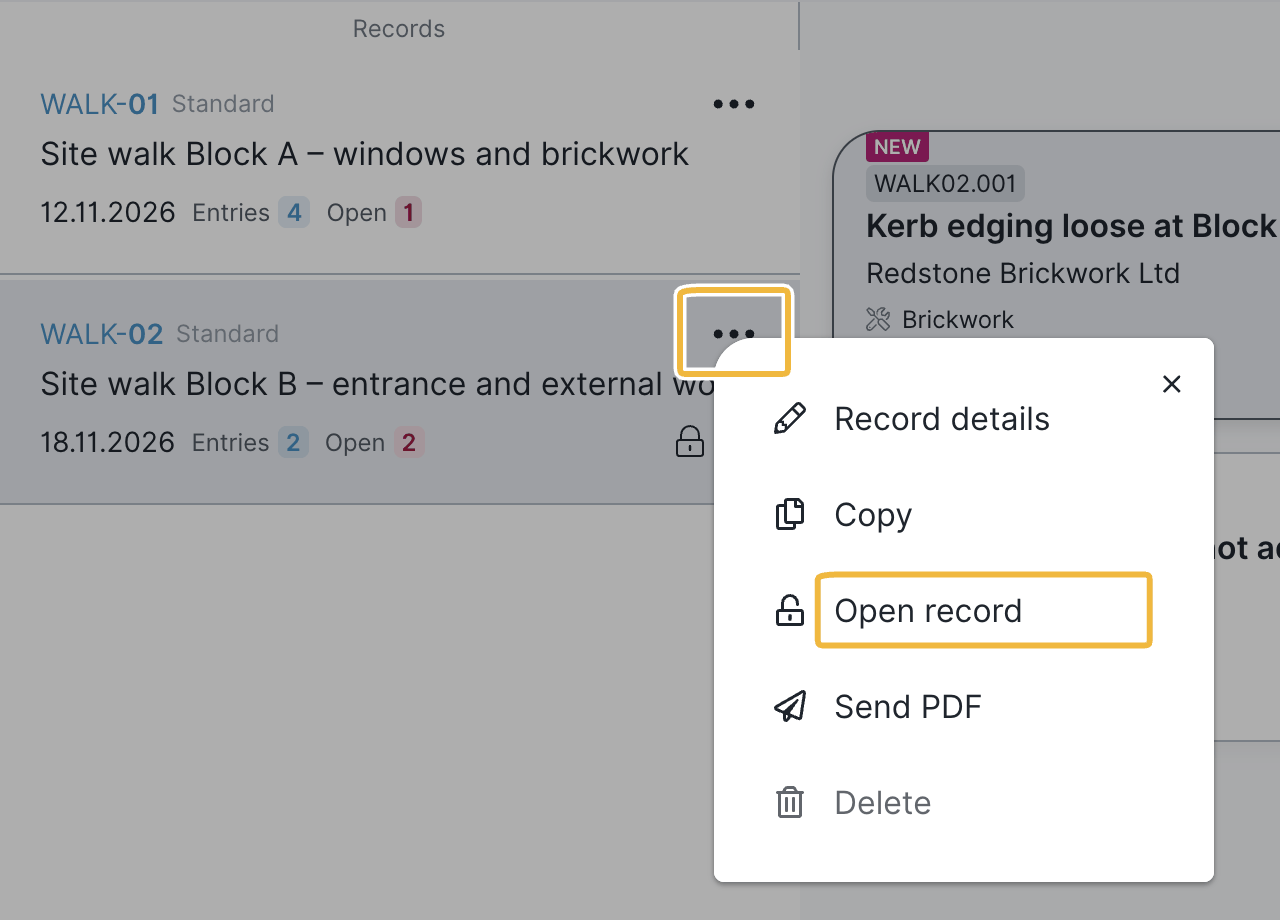
For continuous records, only the most recent record can be reopened. An older record cannot be reopened — to do so, you would first have to delete the records that follow it.
FAQ
Can I reopen closed records?
Yes. In the record overview, click the three-dot menu on the right of the record and select Reopen record. Admin rights are required.
Who may reopen closed records?
Only users with admin rights. Smart or Expert users without the admin role do not see the function. Admin rights require a Smart or Expert licence; Viewers and Teamworkers can never be an admin.
Why can't I reopen an older continuous record?
For continuous records, only the most recent record can be reopened, because the entries build on each other. To reopen an older one, you would first have to delete the records that follow it.
Keywords: reopen closed record