Manage owner and tenant contacts
In brief: owner and tenant contacts are project-specific — unlike cross-project company contacts, they are only available in the respective project. Each contact can be linked to one or more units and filtered by unit in the contact list.
Prerequisites: only Expert users can create owners/tenants. Smart users can see them. Owners/tenants cannot be selected as responsible people — you assign the unit to a task or entry instead.
Company contact or owner/tenant? Companies and people are created across projects and assigned to several projects. Owners/tenants are project-specific and only available in the respective project — intended for property and unit management. Owners/tenants have no access to BauMaster and cannot be stored as responsible people.
Add an owner or tenant
- In contact management, select the “owners/tenants” tab at the top.
- Create a new contact at the top right via +owner/tenant.

Optionally add a postal address that can be inserted into the PDF record for postal delivery.
Alternatively import owners and tenants via Excel import. In the “owners/tenants” tab click the import button, download the template, fill it in and upload it again. The first row of the template contains the column headers; the second row holds a sample person (“Max Mustermann”). Overwrite this sample person with your data — otherwise it is imported too.
Link an owner/tenant to a unit
Click the owner/tenant and then “link unit” to assign one or more units (an apartment and a garage parking space, for example). You create the underlying levels and units in the project settings.
Filter by owner/tenant
In the contact list you filter by units via the filter symbol at the top right. If you set the filter to a staircase, for example, all owners/tenants of that staircase are shown — even if they live on different floors.
Open owners/tenants directly from tasks and entries
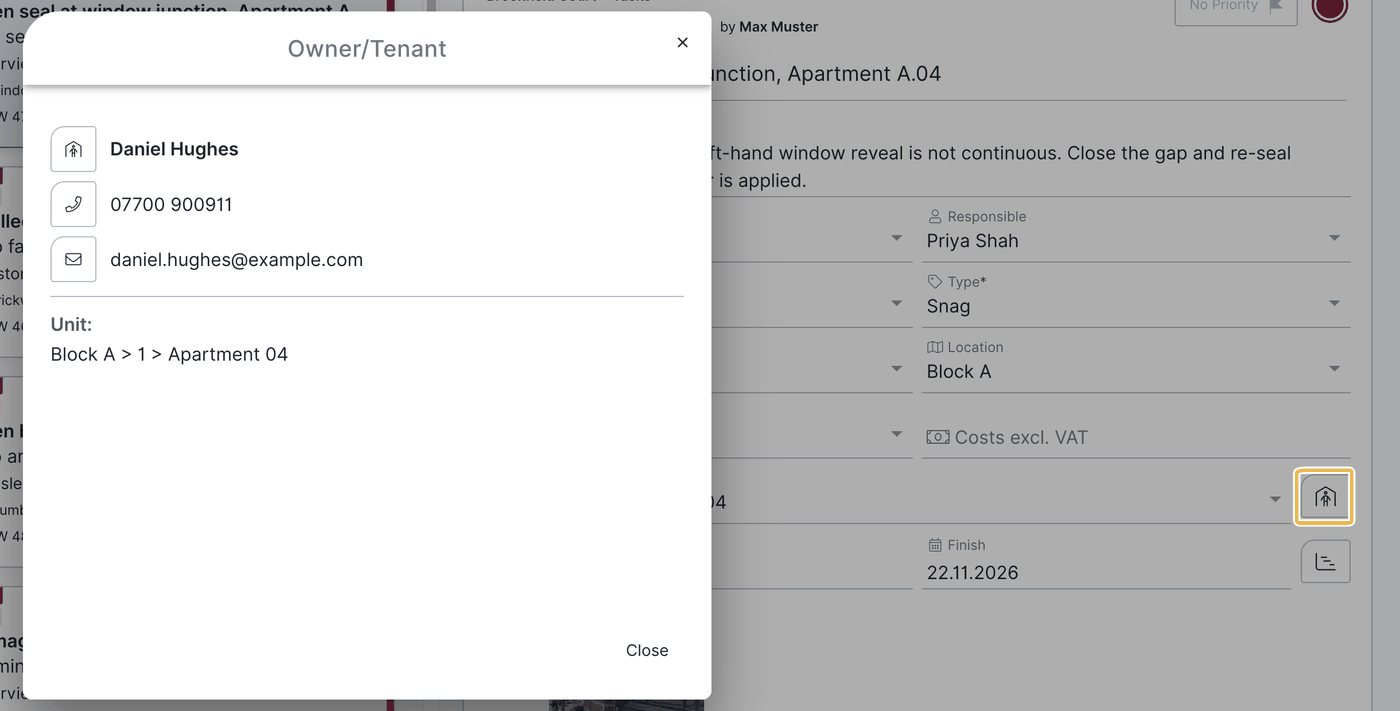
Owners/tenants hang on a unit — and units can be assigned directly as a field in tasks and record entries. If a unit is assigned to a task or entry, the person in the building symbol there opens the linked owners/tenants — with name, phone number, email address and the associated unit. That puts you in touch with the right contacts directly from the item.
FAQ
Who may create owners/tenants?
Only Expert users. Smart users can see them.
Can I select owners/tenants as responsible people?
No. Owners/tenants have no access to BauMaster. Assign the unit to the task or entry — that is how you reach the linked owners/tenants.
Can I import owners/tenants?
Yes, via Excel import.
Are owners/tenants available across projects?
No, they are project-specific and only available in the respective project.
Can a contact be linked to several units?
Yes, to an apartment and a garage parking space, for example.
Can I open owners/tenants directly from a task or entry?
Yes. If a unit is assigned there, the “person in the building” symbol opens the linked owners/tenants including name, phone number and email address.
Keywords: manage owners and tenants