Archive projects or restore archived projects
In brief: you can archive projects that are no longer active — they are retained and can be found in the projects menu under archived projects. They can be restored at any time if needed.
Archive a project
Open “projects” and click the project you want. Via the three dots at the top right or the folder symbol you archive the project. Then confirm the prompt asking whether the project really should be archived.

Restore archived projects
You find archived projects in the projects menu under archived projects.
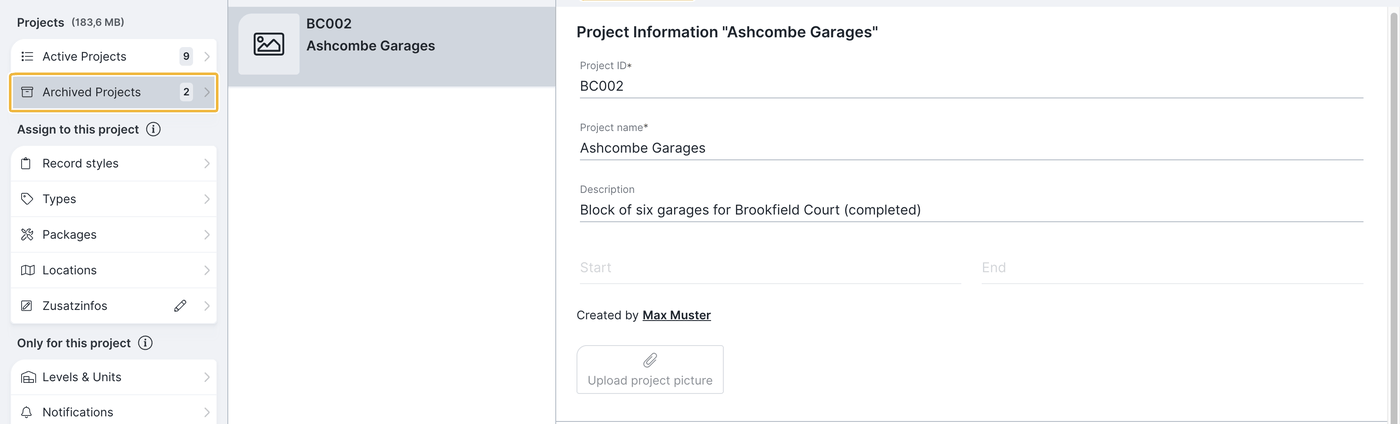
- Go to archived projects in the projects menu.
- Click the archived project.
- Choose “restore project” at the top.
Delete a project permanently
As an alternative to archiving, a project can also be deleted permanently via the three dots. A deleted project cannot be restored — when in doubt, archive instead.
Tip: archive projects you do not currently need. That reduces the amount of data to synchronise and keeps BauMaster fast — see Working offline: project status.
FAQ
What happens when I archive a project?
The project is fully retained, can be found in the projects menu under archived projects, and no longer has to be synchronised.
Can I reactivate an archived project?
Yes. Go to archived projects in the projects menu and choose “restore project” on the project.
What is the difference between archiving and deleting?
Archived projects can be restored, permanently deleted projects cannot.
Keywords: archive projects