Upload logo, header & footer banner (company and project specific)
In brief: in BauMaster you store your company logo (appears in the participant list and in the app on the dashboard and the construction schedule) and header and footer banners for your PDF records and reports. As an admin you set both once, globally, in the account menu under “settings → admin settings → logo & design” — additionally you can store separate banners per project to appear differently on different projects.
1. Set the company logo & banners globally
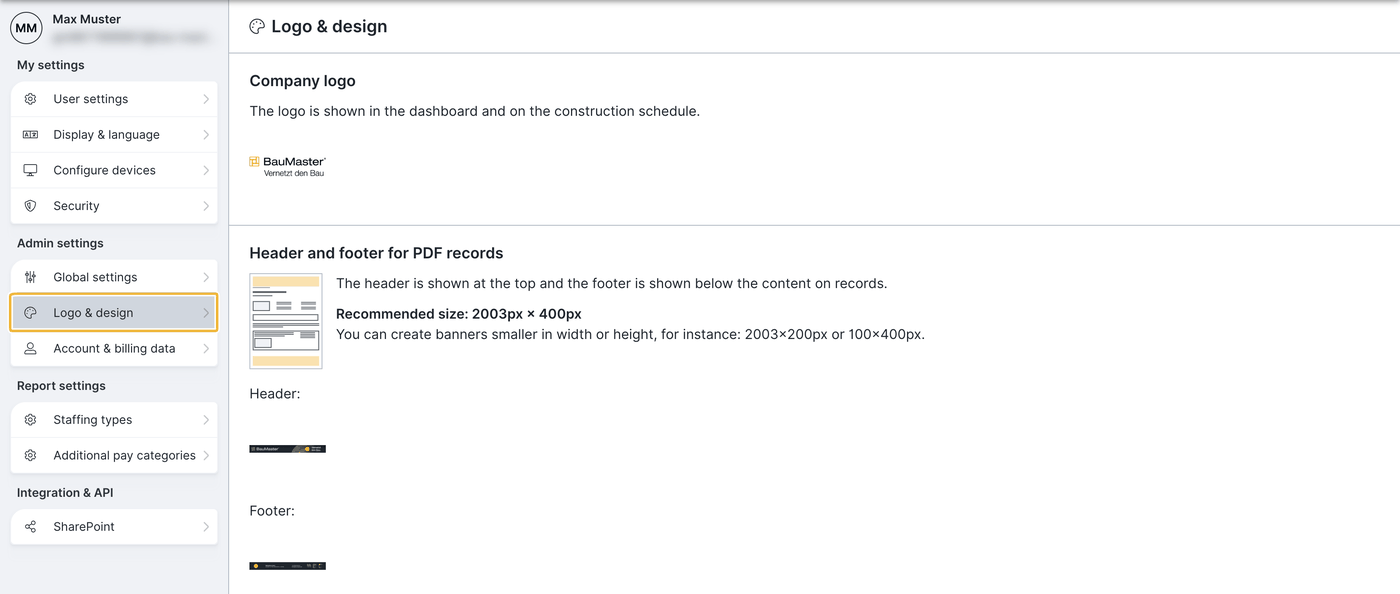
Open the account menu at the top right (circle with your initials), choose “settings” and click logo & design under “admin settings” (admins only). All areas at a glance: Set up account settings (for admins).
- Company logo: upload your company logo here. Maximum size: 347 × 550 px.
- PDF settings: store the PDF header banner and PDF footer banner for your records here. Further PDF options in PDF layout settings and PDF presets.
Dimensions for the full banner width:
- Minimum: 2003 × 238 px
- Maximum: 2003 × 400 px (or an equal multiple of both dimensions)
Supported file formats: .jpeg and .png
If you save the banner in another format, it is scaled proportionally until it is 400 px high and then aligned left in the PDF.
If a banner is already stored, you see a small preview. Without an uploaded file the “file” button with a paperclip appears.
2. Project-specific logos & banners
In the projects menu you can choose a separate PDF header and footer banner for each project. That lets you act as company A on one project and company B on another.
A banner uploaded per project applies only within that project. All other projects keep the settings from logo & design.
FAQ
Where do logo and banner appear?
Logo and banner are two different things: the company logo appears in the participant list and in the app on the dashboard and the construction schedule. The header and footer banners appear on the PDF records and reports.
Which file formats and dimensions are allowed?
.jpeg and .png. The logo up to 347 × 550 px, banners from 2003 × 238 px to 2003 × 400 px.
Can I use a different logo per project?
Yes. In the projects menu you store separate header and footer banners per project. Without a project-specific setting the global banner from logo & design applies.
Keywords: logo and banner upload