Synchronisation: duration, initial sync and solving problems
In brief: synchronisation reconciles your data between device and the BauMaster cloud. How long it takes depends mainly on the internet connection, device performance and the number of active projects. On the very first sign-in a longer initial sync runs once.
1. Initial sync on first sign-in
On the very first sign-in BauMaster performs a device-specific setup — the initial sync. Wait until the sync symbol at the bottom left is no longer visible before you start working.
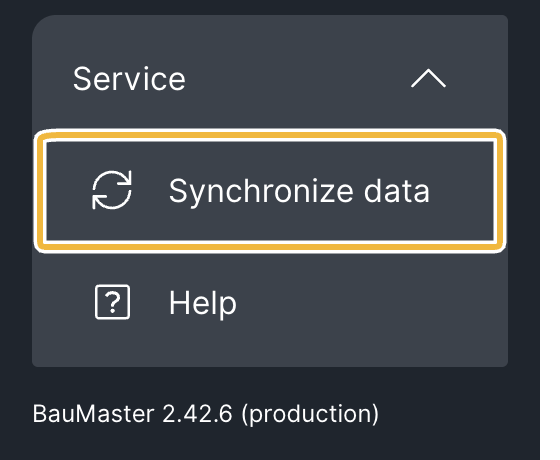
If you create entries or change project settings during the initial sync, that data may not be stored completely. This affects only the initial sync after the first installation or first sign-in. Afterwards synchronisation runs noticeably faster and more smoothly.
2. Why does synchronisation take so long?
If many projects are managed on one device at the same time, data traffic builds up per project. That can reduce speed and, in the worst case, lead to incomplete synchronisations. Two factors influence the duration most:
- Internet connection
- Device performance
3. Speed up synchronisation
- Archive completed projects — archived projects no longer generate sync traffic. See Archive projects or restore archived projects.
- Set “available offline” only for active projects. Download projects in the project via the “download” label (with a small download symbol) only when you need them offline: visible offline are downloaded projects and projects used in the last 10 days, provided you are in the project team. Any user can download projects, admin or not. How the project status “downloaded” works is described in Work offline / available online / downloaded (project status).
- Use a stable, high-performance connection for the sync (ideally WiFi).
- Before longer offline work, let the sync complete fully.
FAQ
How long does the first sync take?
The initial sync happens once and takes longer depending on data volume and connection. Afterwards BauMaster synchronises noticeably faster.
Can I work during the sync?
Yes. Synchronisation runs in the background and you carry on working. The only exception is the initial sync after the first installation or first sign-in: wait here until the sync symbol disappears — otherwise entries can be lost.
How do I make BauMaster fast again?
Archive completed projects and only download (make available offline) the projects you actively work on.
Keywords: synchronisation takes long